
VISISTREAM FOR / 8.1
Public Administration
The organisation's information, easier to consult.
Explain services, access and deadlines using content updated by the relevant offices and consistent templates.
Let's talk about your business ↗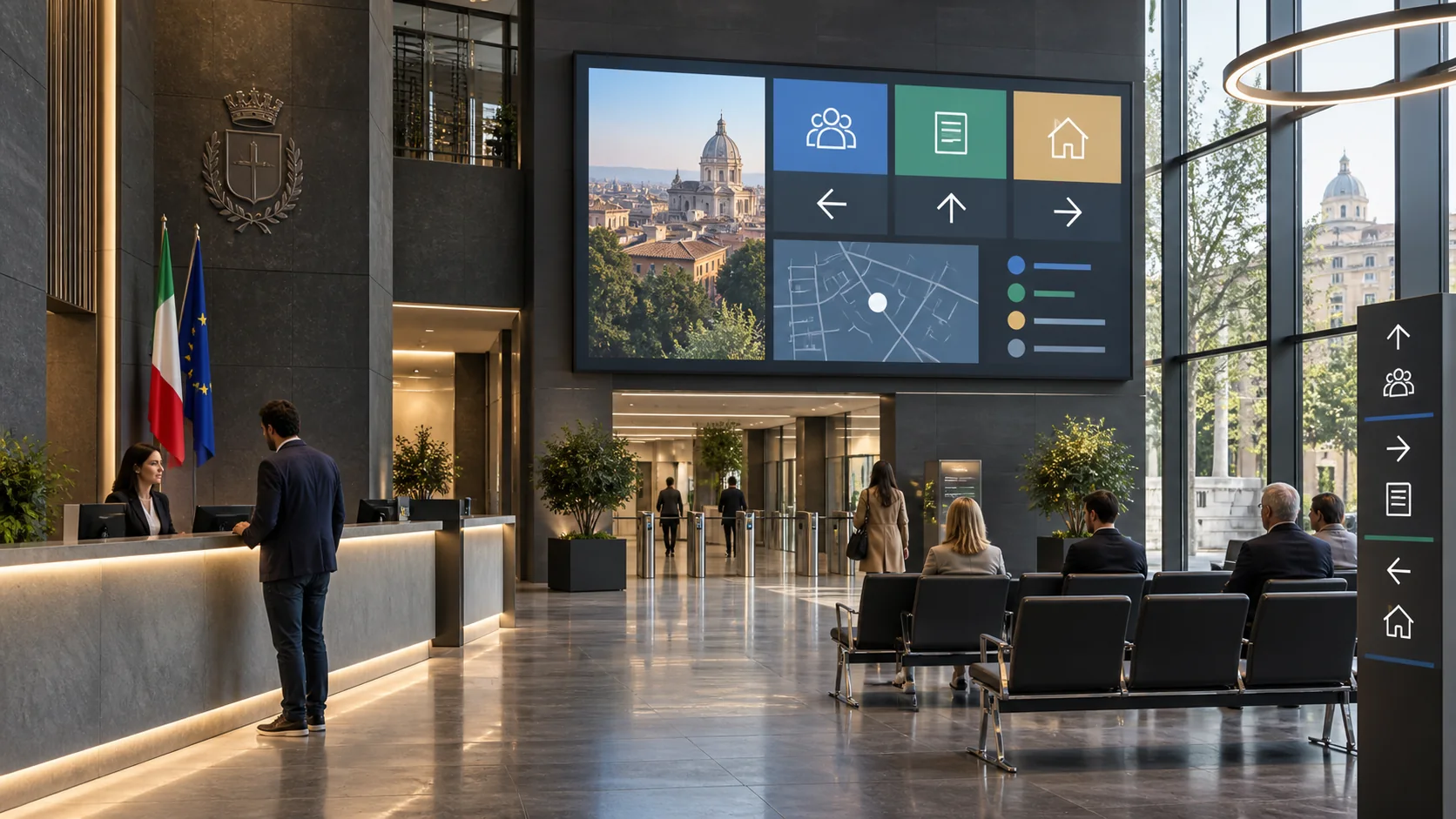
Entrance, service desks and waiting rooms.
Graphics, videos, messages and content scheduling.
Commissioned production, a dedicated channel or ongoing management.
SEE IT TO PICTURE IT
A screen,
in your context.
Two static layouts to explore content hierarchy. Graphics, dimensions, languages and information can be customised.
Your service, your desk
Registry office on the ground floor, tax office on floor 1. The panel presents services and access arrangements approved by the relevant offices.
A day of communication
At opening time, the channel presents general information. During the day, the schedule alternates available services, service desks, queue numbers. At the end of the scheduled time slot, the next set of content takes over.
When information changes
The coordinator updates the content and defines its validity. The screens included in the project receive the message; its title and summary help distinguish the update from routine information.
Before your appointment
Check with the office which documents are required for your application. The screen shows service contact details and booking arrangements.
ALL APPLICATIONS FOR THIS SECTOR
14 ways to
communicate better.
Each application describes a need, a service approach and a content example. Open the cards relevant to your business.
01Available services
+
Content focused on “Available services”, with essential information, a time reference and clear guidance for the people on site.
How we set it up
We define the audience, the screens involved and the message duration. We prepare a visual template with a title, main content and a summary; we agree on who approves updates and when the content must be replaced.
The intended outcome
Reduce errors in enquiries and help people access the right services.
Available services
Available services. Current status: service updated; requirements and operating arrangements available on screen. Required action: prepare the required items or use the indicated service channel. Last updated: 10:35. Next check: 10:50.
Layout and data are adapted to your business.02Service desks
+
Content focused on “Service desks”, with essential information, a time reference and clear guidance for the people on site.
How we set it up
We define the audience, the screens involved and the message duration. We prepare a visual template with a title, main content and a summary; we agree on who approves updates and when the content must be replaced.
The intended outcome
Reduce errors in enquiries and help people access the right services.
Service desks
Service desks. Current status: service updated; requirements and operating arrangements available on screen. Required action: prepare the required items or use the indicated service channel. Last updated: 10:35. Next check: 10:50.
Layout and data are adapted to your business.03Queue numbers
+
Content focused on “Queue numbers”, with essential information, a time reference and clear guidance for the people on site.
How we set it up
We define the audience, the screens involved and the message duration. We prepare a visual template with a title, main content and a summary; we agree on who approves updates and when the content must be replaced.
The intended outcome
Reduce errors in enquiries and help people access the right services.
Queue numbers
Queue numbers. Current status: service updated; requirements and operating arrangements available on screen. Required action: prepare the required items or use the indicated service channel. Last updated: 10:35. Next check: 10:50.
Layout and data are adapted to your business.04Requested documents
+
Content focused on “Requested documents”, with essential information, a time reference and clear guidance for the people on site.
How we set it up
We define the audience, the screens involved and the message duration. We prepare a visual template with a title, main content and a summary; we agree on who approves updates and when the content must be replaced.
The intended outcome
Reduce errors in enquiries and help people access the right services.
Requested documents
Requested documents. Current status: service updated; requirements and operating arrangements available on screen. Required action: prepare the required items or use the indicated service channel. Last updated: 10:35. Next check: 10:50.
Layout and data are adapted to your business.05Deadlines
+
Content focused on “Deadlines”, with essential information, a time reference and clear guidance for the people on site.
How we set it up
We define the audience, the screens involved and the message duration. We prepare a visual template with a title, main content and a summary; we agree on who approves updates and when the content must be replaced.
The intended outcome
Reduce errors in enquiries and help people access the right services.
Deadlines
Deadlines. Current status: service updated; requirements and operating arrangements available on screen. Required action: prepare the required items or use the indicated service channel. Last updated: 10:35. Next check: 10:50.
Layout and data are adapted to your business.06Taxes
+
Content focused on “Taxes”, with essential information, a time reference and clear guidance for the people on site.
How we set it up
We define the audience, the screens involved and the message duration. We prepare a visual template with a title, main content and a summary; we agree on who approves updates and when the content must be replaced.
The intended outcome
Reduce errors in enquiries and help people access the right services.
Taxes
Taxes. Current status: service updated; requirements and operating arrangements available on screen. Required action: prepare the required items or use the indicated service channel. Last updated: 10:35. Next check: 10:50.
Layout and data are adapted to your business.07Public calls and tenders
+
Content focused on “Public calls and tenders”, with essential information, a time reference and clear guidance for the people on site.
How we set it up
We define the audience, the screens involved and the message duration. We prepare a visual template with a title, main content and a summary; we agree on who approves updates and when the content must be replaced.
The intended outcome
Reduce errors in enquiries and help people access the right services.
Public calls and tenders
Public calls and tenders. Current status: service updated; requirements and operating arrangements available on screen. Required action: prepare the required items or use the indicated service channel. Last updated: 10:35. Next check: 10:50.
Layout and data are adapted to your business.08Competitions
+
Content focused on “Competitions”, with essential information, a time reference and clear guidance for the people on site.
How we set it up
We define the audience, the screens involved and the message duration. We prepare a visual template with a title, main content and a summary; we agree on who approves updates and when the content must be replaced.
The intended outcome
Reduce scattered communications and improve participation and punctuality.
Competitions
Competitions. Current status: activity confirmed; time, location and directions available on screen. Required action: go to the activity or open further information via the QR code. Last updated: 10:35. Next check: 10:50.
Layout and data are adapted to your business.09Events
+
Content focused on “Events”, with essential information, a time reference and clear guidance for the people on site.
How we set it up
We define the audience, the screens involved and the message duration. We prepare a visual template with a title, main content and a summary; we agree on who approves updates and when the content must be replaced.
The intended outcome
Improve audience flow and highlight content, sponsors and services.
Events
Events. Current status: next event confirmed; access and time shown on screen. Required action: reach the room, stage or section before the start. Last updated: 10:35. Next check: 10:50.
Layout and data are adapted to your business.10Public works
+
Content focused on “Public works”, with essential information, a time reference and clear guidance for the people on site.
How we set it up
We define the audience, the screens involved and the message duration. We prepare a visual template with a title, main content and a summary; we agree on who approves updates and when the content must be replaced.
The intended outcome
Reduce errors in enquiries and help people access the right services.
Public works
Public works. Current status: service updated; requirements and operating arrangements available on screen. Required action: prepare the required items or use the indicated service channel. Last updated: 10:35. Next check: 10:50.
Layout and data are adapted to your business.11Access changes
+
Content focused on “Access changes”, with essential information, a time reference and clear guidance for the people on site.
How we set it up
We define the audience, the screens involved and the message duration. We prepare a visual template with a title, main content and a summary; we agree on who approves updates and when the content must be replaced.
The intended outcome
Reduce errors in enquiries and help people access the right services.
Access changes
Access changes. Current status: service updated; requirements and operating arrangements available on screen. Required action: prepare the required items or use the indicated service channel. Last updated: 10:35. Next check: 10:50.
Layout and data are adapted to your business.12Information campaigns
+
Content focused on “Information campaigns”, with essential information, a time reference and clear guidance for the people on site.
How we set it up
We define the audience, the screens involved and the message duration. We prepare a visual template with a title, main content and a summary; we agree on who approves updates and when the content must be replaced.
The intended outcome
Make the offer easier to understand and improve conversion without overloading the message.
Information campaigns
Information campaigns. Current status: offer available today; details, conditions and call to action on screen. Required action: scan the QR code, ask for information or take up the offer. Last updated: 10:35. Next check: 10:50.
Layout and data are adapted to your business.13Civil Protection
+
Content focused on “Civil Protection”, with essential information, a time reference and clear guidance for the people on site.
How we set it up
We define the audience, the screens involved and the message duration. We prepare a visual template with a title, main content and a summary; we agree on who approves updates and when the content must be replaced.
The intended outcome
Reduce errors in enquiries and help people access the right services.
Civil Protection
Civil Protection. Current status: service updated; requirements and operating arrangements available on screen. Required action: prepare the required items or use the indicated service channel. Last updated: 10:35. Next check: 10:50.
Layout and data are adapted to your business.14Multilingual messages
+
Content focused on “Multilingual messages”, with essential information, a time reference and clear guidance for the people on site.
How we set it up
We define the audience, the screens involved and the message duration. We prepare a visual template with a title, main content and a summary; we agree on who approves updates and when the content must be replaced.
The intended outcome
Reduce errors in enquiries and help people access the right services.
Multilingual messages
Multilingual messages. Current status: service updated; requirements and operating arrangements available on screen. Required action: prepare the required items or use the indicated service channel. Last updated: 10:35. Next check: 10:50.
Layout and data are adapted to your business.FROM CONTENT TO UPDATES
Editorial coordination.
Your sources.
We can start with materials and updates supplied by your coordinator. For this sector, sources to assess include relevant offices, editorial teams and validated institutional sources.
Automatic connections to business systems, APIs or sensors require project work: first, we check data accessibility, permissions, update frequency and behaviour when the source is unavailable.
For safety notices, the project complements the facility's existing channels and procedures: wording, priorities and responsibilities are defined with the relevant contacts.
Content in different languages is prepared and reviewed. Local playback of available materials and distribution across sites are defined according to the agreed configuration.
THE SERVICE WE BUILD WITH YOU
Project and content
Analysis of spaces, selection of messages, visual templates and an initial demo sequence.
Configuration and trial
Screen checks, scheduling, editorial roles and testing of the agreed workflow.
Ongoing management
Updates, new productions and support within a defined service scope.
YOUR NEXT SCREEN
Let's start with
a practical need.
A place, an audience, a message.
That is where we start building your project.